Daily Planner App
A single-focus daily planner that turns yesterday's completed tasks into an AI-written reflection
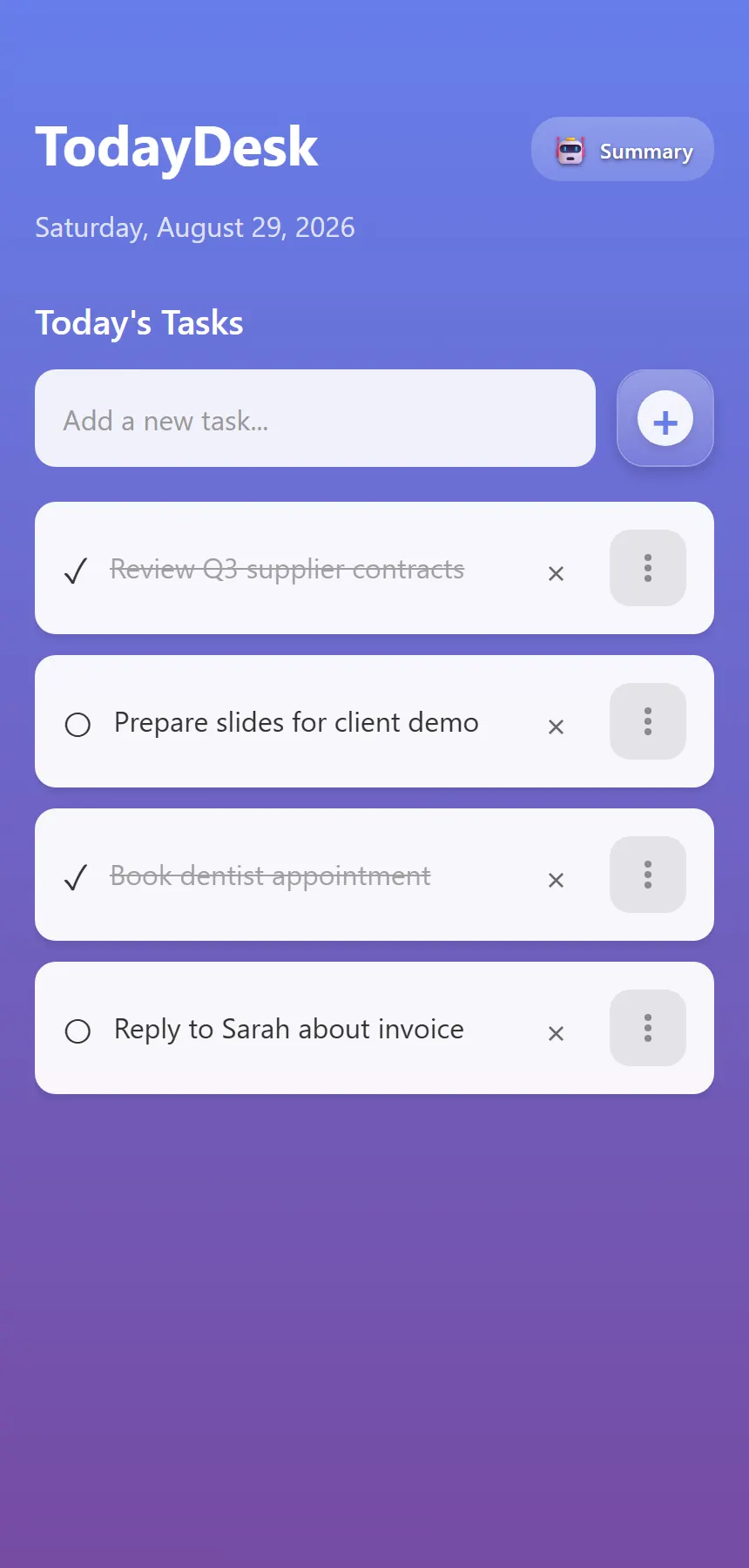
Most to-do apps accumulate: lists grow, history piles up, and the interface pushes users toward managing the tool rather than doing the work. The app takes the opposite stance, it shows only today. Its concept is captured in its own tagline: focus on today, learn from yesterday.
The interesting design question is what happens to yesterday. Instead of a backlog, the app hands yesterday's completed tasks to a language model and gets back a two-to-three-sentence reflection, a lightweight journal the user never has to write. We built the complete app from one React Native and Expo codebase running on iOS, Android, and web: screen flow and UI, the task workflow, local persistence, Gemini prompt design and integration, and the Supabase schema behind the summary history.
Two practical constraints shaped the build: the app had to work without accounts or sign-up friction, and AI API usage had to stay near zero for a daily-use utility.
A planner that refuses to accumulate
The product opinion is that only today matters, so the app needed a task surface scoped strictly to the current date, with each day starting clean, while still giving users something valuable from the days behind them.
That ambition came with constraints. An account system would be pure friction for a single-user utility, so identity had to work with zero onboarding. And because an AI reflection is a daily-cadence feature, naive per-request model calls would make the economics untenable; the AI usage had to be engineered down to roughly one call per day.
Minimal surface, deliberate data boundaries
We kept the navigation footprint deliberately tiny: rather than a navigation library, the app runs a four-state screen machine, splash, onboarding, home, AI summary, driven by plain React state. For an app whose whole premise is one focused surface, this keeps both the UX and the dependency count small.
We split the data by sensitivity. Tasks, the personal, minute-to-minute data, never leave the device; they live in AsyncStorage under per-day keys. Only the AI-generated summaries, and the titles of completed tasks that feed them, are written to Supabase, so users get a cloud-backed history of reflections while day-to-day task data stays local.
Identity is frictionless: the app synthesizes a stable per-device user ID from device metadata and a timestamp, caches it locally, and uses it to scope all cloud reads and writes. And AI usage is cache-first, every summary request checks Supabase, then a local cache, and only calls Gemini when no summary exists for the day or the user explicitly regenerates.
The day loop
The home screen shows the current date and today's tasks, nothing else. Tasks are added from a single input, checked off in place, and deleted behind a confirmation dialog. Long-pressing a task lifts it into a drag state with elevation and shadow feedback so the day can be re-prioritized by hand; the resulting order is stored per task and survives restarts. Because storage is keyed by date, each day starts clean.
The AI Summary screen offers three layers of perspective: yesterday's reflection, generated by sending the previous day's completed tasks to Gemini with a prompt tuned for concise, encouraging retrospectives; an on-demand progress summary of today's completed versus pending work; and a scrollable history of past reflections pulled from Supabase, each card showing the date, summary text, and the completed tasks behind it, with pull-to-refresh. Generated summaries are written to both Supabase and local storage, so past reflections remain readable offline.
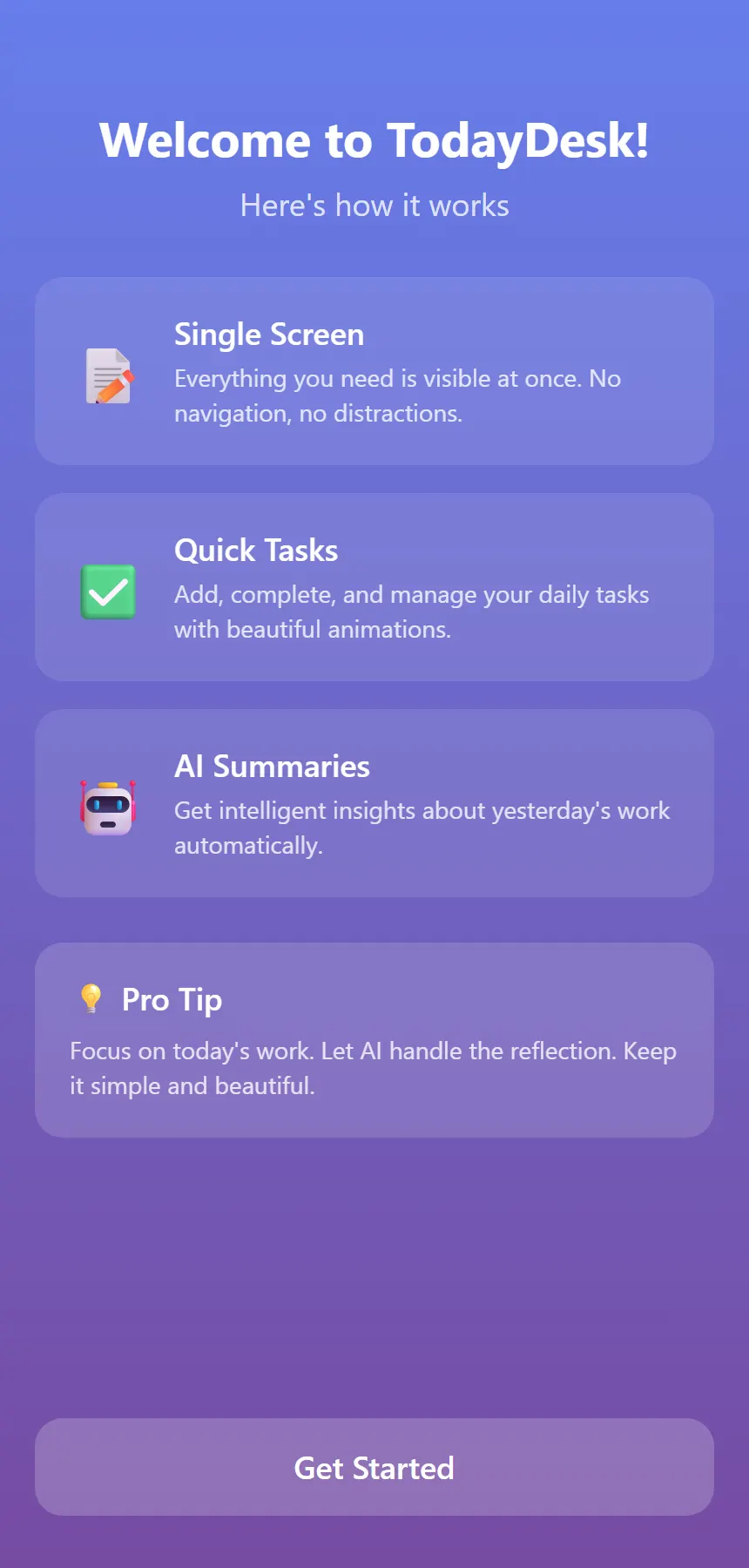
A first-launch guide explains the three product ideas, single screen, quick tasks, AI summaries, and is shown exactly once, tracked by a persisted flag. The splash screen uses spring-based fade and scale animation, and the interface is built on a consistent gradient-and-glass visual language with keyboard-avoiding layouts for one-handed entry.
Today-only task list
Tasks are scoped to the current date with per-day storage keys, so each day starts clean, add, complete, and delete from one focused surface with confirmation on delete.
Drag-to-reorder prioritization
Long-pressing lifts a task into a drag state with elevation and shadow feedback; the hand-set order is persisted with each task and survives restarts.
AI-written daily reflections
Yesterday's completed tasks become a two-to-three-sentence Gemini-generated reflection, plus an on-demand progress summary of today's completed versus pending work.
Browsable summary history
Past reflections are stored in Supabase and readable in-app, each card carries the date, summary text, and the completed tasks behind it, and cached locally for offline reading.
No sign-up required
A stable, anonymous device-derived identity scopes all cloud data per user with zero onboarding cost, and the entire task workflow runs fully offline.
- 01
Four-state screen machine instead of a navigation stack
Splash, onboarding, home, and AI summary are rendered by plain conditional React state, less code, fewer dependencies, and faster startup for a deliberately tiny app.
- 02
Cache-first AI integration
Summaries are materialized artifacts, not live model output: the app checks Supabase, then local cache, and only then calls the Gemini REST API, keeping a daily AI feature economical enough for free-tier quotas, at roughly one model call per day.
- 03
Local-first data split
Per-day task lists, cached summaries, device identity, and the onboarding flag all live in AsyncStorage; only derived summaries sync to a Supabase summaries table indexed on date and user.
- 04
Configuration-isolated model access
Model, token budget, and temperature flow through environment variables behind a central config module with defensive response parsing, the feature was originally built against OpenAI and switched to Gemini with no changes to the product workflow.
- 05
Gesture-driven interactions
Reordering runs on react-native-draggable-flatlist over react-native-gesture-handler and Reanimated, within a gradient-and-glass UI built on Expo's LinearGradient and keyboard-avoiding layouts.
- A working cross-platform planner delivering the complete daily loop: capture and reorder today's tasks, check them off, and read an AI-written reflection the next morning.
- AI usage engineered down to roughly one model call per day through cache-first generation, economical enough to run on free-tier API quotas.
- Task data never leaves the device, while summaries persist in a browsable cloud history, with no account required.
- One codebase runs on iOS, Android, and web via React Native and Expo.